
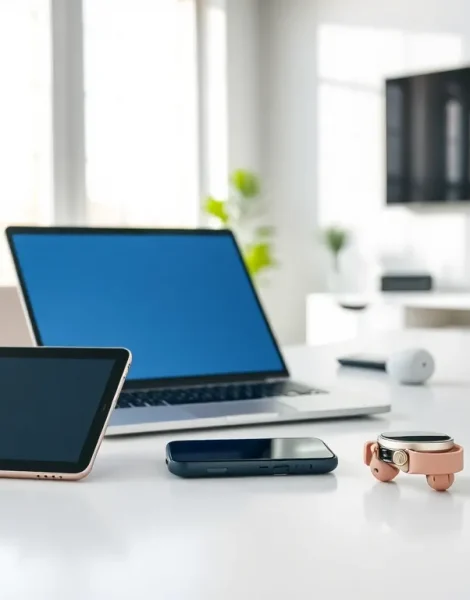
Consumer electronics for beginners can feel overwhelming at first glance. Smartphones, laptops, smart TVs, and wearables crowd store shelves and online listings. Each device promises better features than the last. But here’s the good news: understanding consumer electronics doesn’t require a tech degree. This guide breaks down the basics, explains key device categories, and offers practical tips for choosing and using your first gadgets. Whether someone is buying their first smartphone or setting up a home entertainment system, they’ll find clear answers here.
Table of Contents
ToggleKey Takeaways
- Consumer electronics for beginners include smartphones, tablets, laptops, smart TVs, wearables, and smart home devices designed for everyday personal use.
- Define your primary use case and set a realistic budget before shopping to avoid overspending on features you won’t need.
- Research reviews from multiple sources and consider ecosystem compatibility with devices you already own.
- Always update software immediately after setup to fix bugs, improve security, and unlock new features.
- Secure your devices with strong passwords, biometric authentication, and two-factor authentication to protect personal data.
- Learn basic troubleshooting skills like restarting devices and clearing caches to solve common issues without frustration.
What Are Consumer Electronics?
Consumer electronics are electronic devices designed for everyday personal use. These products serve entertainment, communication, and productivity purposes. Common examples include smartphones, tablets, televisions, gaming consoles, and digital cameras.
The term “consumer” distinguishes these items from industrial or professional equipment. Consumer electronics target regular people rather than businesses or specialists. They’re built for home use, portability, and ease of operation.
Modern consumer electronics share several characteristics. They typically feature digital technology, connect to the internet, and receive software updates. Many devices now integrate with each other through wireless connections. A smartphone can control a smart TV. A fitness tracker can sync with a tablet.
The consumer electronics market continues to grow each year. People rely on these devices for work, entertainment, health tracking, and staying connected with others. Understanding what qualifies as consumer electronics helps beginners make informed purchasing decisions.
Essential Device Categories to Know
Consumer electronics fall into several main categories. Beginners should familiarize themselves with each type before making purchases.
Smartphones and Tablets
Smartphones rank as the most common consumer electronics worldwide. These pocket-sized computers handle calls, texts, internet browsing, photography, and countless apps. Tablets offer larger screens for reading, watching videos, and light productivity work. Both devices run on iOS or Android operating systems.
Computers and Laptops
Desktop computers provide power for demanding tasks like video editing or gaming. Laptops offer portability without sacrificing too much performance. Chromebooks present a budget-friendly option for basic web browsing and document work. Each type serves different user needs.
Home Entertainment
This category includes televisions, streaming devices, soundbars, and gaming consoles. Smart TVs connect directly to streaming services like Netflix and YouTube. Dedicated streaming devices such as Roku or Apple TV add smart features to older televisions. Sound systems enhance audio quality beyond built-in TV speakers.
Wearables
Smartphones and fitness trackers strap onto wrists and track health data. These consumer electronics monitor steps, heart rate, sleep patterns, and exercise. Premium models add features like GPS tracking and mobile payments.
Smart Home Devices
Smart speakers, video doorbells, and connected thermostats make homes more convenient. Voice assistants like Alexa and Google Assistant respond to spoken commands. These devices often require a smartphone app for setup and control.
How to Choose the Right Electronics for Your Needs
Selecting consumer electronics requires honest assessment of personal needs. Beginners often overbuy features they’ll never use or underspend on items they’ll rely on daily.
Define Your Primary Use
Start by asking: what problem does this device solve? Someone who mainly browses social media and sends emails doesn’t need a $1,500 laptop. A basic tablet or Chromebook handles those tasks well. But, someone editing photos or videos should invest in more powerful hardware.
Set a Realistic Budget
Consumer electronics span wide price ranges. A smartphone can cost $100 or $1,200. Determine spending limits before shopping. Research options within that budget rather than stretching finances for premium models.
Research Before Buying
Read reviews from multiple sources. Check professional tech sites for detailed analysis. Browse user reviews for real-world feedback on reliability and performance. Look for common complaints that might affect satisfaction.
Consider the Ecosystem
Apple products work best with other Apple devices. Android phones pair smoothly with Windows computers and Google services. Samsung TVs integrate well with Samsung phones. Beginners should consider what devices they already own or plan to buy.
Check Warranty and Support
Consumer electronics occasionally malfunction. Verify warranty coverage before purchasing. Some retailers offer extended protection plans. Brands with strong customer support save headaches when problems arise.
Tips for Setting Up and Using Your New Devices
Buying consumer electronics is only half the process. Proper setup and usage maximize their value.
Read the Quick Start Guide
Manufacturers include setup instructions for good reasons. These guides highlight important initial steps like charging requirements and account creation. Skipping them often leads to confusion later.
Update Software Immediately
New consumer electronics frequently ship with outdated software. Run system updates before heavy use. Updates fix bugs, improve security, and sometimes add new features. Most devices display update notifications during initial setup.
Secure Your Devices
Set strong passwords or PINs. Enable biometric security like fingerprint or face recognition when available. Activate two-factor authentication on important accounts. Consumer electronics store personal data that deserves protection.
Learn Basic Troubleshooting
Most issues resolve with simple steps. Restarting a frozen device fixes many problems. Checking internet connections solves streaming issues. Clearing app caches improves sluggish performance. These basic skills prevent unnecessary frustration.
Explore Built-In Features
Consumer electronics pack more features than most users discover. Spend time exploring settings menus and built-in apps. Smartphones include accessibility options, battery optimization tools, and hidden shortcuts. Learning these features improves the overall experience.
Back Up Your Data
Devices fail, get lost, or need replacement. Regular backups protect photos, documents, and settings. Cloud services automate this process for most consumer electronics. Local backups to external drives provide extra security.


