
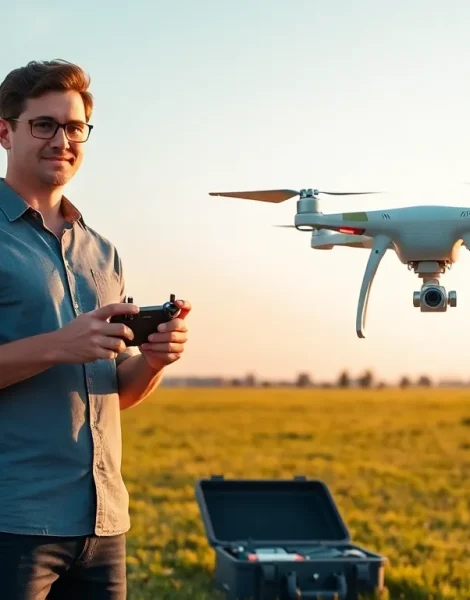
Drone tips can make the difference between a frustrating crash and a smooth, successful flight. Whether someone just unboxed their first quadcopter or has been flying for months, understanding key techniques improves every experience in the air. Drones have become more accessible than ever, but they still require knowledge, practice, and respect for safety guidelines. This guide covers everything from understanding the hardware to capturing stunning aerial footage. By following these drone tips, pilots can fly with confidence, protect their investment, and create content that stands out.
Table of Contents
ToggleKey Takeaways
- Always read the manual and understand your drone’s components, flight modes, and local regulations before your first flight.
- Use a pre-flight checklist to inspect hardware, check battery health, calibrate sensors, and survey your environment for obstacles.
- Practice hovering, orientation control, and smooth stick movements in open spaces to build essential piloting skills.
- Shoot during golden hour and use ND filters to capture professional-quality aerial photos and videos.
- Maintain your drone by cleaning after every flight, storing batteries at 40-60% charge, and replacing damaged propellers promptly.
- Following these drone tips consistently helps protect your investment and ensures safe, successful flights every time.
Understanding Your Drone Before You Fly
Every pilot should understand their drone before taking off. This step prevents accidents and builds confidence for future flights.
Read the Manual
The user manual contains critical information about the drone’s features, limitations, and safety warnings. Skipping this step often leads to preventable errors. Manufacturers include specific instructions for battery care, controller pairing, and emergency procedures.
Know the Components
A typical drone includes motors, propellers, a camera gimbal, GPS module, and flight controller. Understanding how each part works helps pilots troubleshoot problems mid-flight. For example, recognizing a failing motor sound can prevent a crash.
Understand Flight Modes
Most drones offer multiple flight modes. Beginner modes limit speed and altitude. Sport modes unlock full performance. GPS modes enable features like Return to Home. Pilots should start in beginner mode and progress as their skills improve.
Check Local Regulations
Drone laws vary by location. In the United States, the FAA requires registration for drones weighing over 0.55 pounds. Many areas restrict flights near airports, stadiums, and government buildings. Checking local regulations before flying keeps pilots legal and safe.
Pre-Flight Checklist for Safe Operations
A pre-flight checklist catches problems before they become disasters. Professional pilots use checklists for every flight, drone operators should do the same.
Inspect the Hardware
Check propellers for cracks or chips. Damaged props cause instability and crashes. Ensure all propellers are securely attached. Inspect the frame for loose screws or visible damage.
Battery Check
Fully charged batteries provide maximum flight time and consistent power. Check battery health in the companion app. Most drone tips experts recommend keeping batteries between 40-60% charge for storage.
Calibrate Sensors
Calibrate the compass whenever flying in a new location. Magnetic interference from nearby metal structures can confuse GPS systems. Most apps walk users through a simple calibration process.
Survey the Environment
Look for obstacles like power lines, trees, and buildings. Note wind speed and direction. Check for other aircraft in the area. Identify a safe emergency landing zone.
Confirm Controller Connection
Verify that the controller connects to the drone before takeoff. Check signal strength. Ensure the phone or tablet running the companion app has sufficient battery.
Mastering Basic Flight Controls
Learning basic controls builds the foundation for advanced maneuvers. These drone tips help beginners develop muscle memory and spatial awareness.
Start in Open Spaces
Empty fields and parks provide room for error. Beginners should avoid confined spaces until they feel comfortable with the controls. Open areas reduce the risk of collisions during the learning phase.
Practice Hovering
Hovering sounds simple but requires constant micro-adjustments. Practice maintaining a steady position at various heights. This skill becomes essential for photography and videography work.
Learn Orientation Control
When a drone faces the pilot, the controls appear reversed. Left becomes right. This confuses many beginners. Practice flying the drone toward and away from your position until orientation feels natural.
Master Smooth Movements
Jerky inputs create unstable footage and increase crash risk. Use gentle stick movements. Anticipate where the drone needs to go rather than reacting suddenly.
Use Simulator Apps
Many manufacturers offer flight simulators. These apps let pilots practice without risking their hardware. Simulators help build skills during bad weather or when outdoor flying isn’t possible.
Photography and Videography Techniques
Drones offer unique perspectives impossible to achieve from the ground. These drone tips help pilots capture professional-quality content.
Shoot During Golden Hour
The hour after sunrise and before sunset provides soft, warm light. Shadows become less harsh. Colors appear richer. Professional photographers prioritize these times for a reason.
Use ND Filters
Neutral density filters reduce light entering the lens. They allow slower shutter speeds in bright conditions. Slower shutter speeds create natural motion blur in video, which looks more cinematic.
Plan Shots in Advance
Battery life limits flight time to 20-40 minutes for most consumer drones. Planning shots beforehand maximizes productive time in the air. Scout locations and visualize the final result.
Fly Slow for Video
Slower movements look more professional on camera. Fast movements create a frantic feel. Smooth, deliberate passes produce footage that feels intentional and polished.
Experiment with Angles
Drones excel at top-down shots and dramatic reveals. Try orbiting around subjects. Fly low over water or through gaps in trees. Unique angles make content memorable.
Maintaining Your Drone for Longevity
Proper maintenance extends the lifespan of any drone. These drone tips protect the investment and ensure consistent performance.
Clean After Every Flight
Dust, dirt, and moisture accumulate on motors and sensors. Wipe down the frame with a microfiber cloth. Use compressed air to clear debris from vents and gimbal mechanisms.
Store Batteries Properly
Lithium batteries degrade faster when stored fully charged or completely drained. Most manufacturers recommend 40-60% charge for long-term storage. Keep batteries in a cool, dry place away from direct sunlight.
Update Firmware Regularly
Manufacturers release firmware updates that fix bugs and add features. Outdated firmware can cause erratic behavior or security vulnerabilities. Check for updates before flying sessions.
Inspect Propellers Often
Propellers take significant stress during flight. Small nicks or cracks worsen over time. Replace damaged props immediately. Most pilots keep spare propellers in their flight kit.
Protect During Transport
A quality carrying case prevents damage during travel. Hard cases offer better protection than soft bags. Foam inserts keep components secure and organized.


